
Create Photorealistic 3D Models: Step-by-Step Guide
Creating photorealistic 3D models can significantly enhance customer engagement for furniture, kitchen, and custom-product brands. In this comprehensive guide, we'll walk you through the steps on how to make photorealistic 3D models, helping you bring your products to life with stunning realism.
Prerequisites for Photorealistic 3D Modeling
Before diving into the creation process, ensure you have the following tools and prerequisites:
- A powerful computer with a high-end graphics card
- 3D modeling software like Blender, 3ds Max, or Maya
- High-resolution textures and reference images
- Basic understanding of 3D modeling and rendering techniques
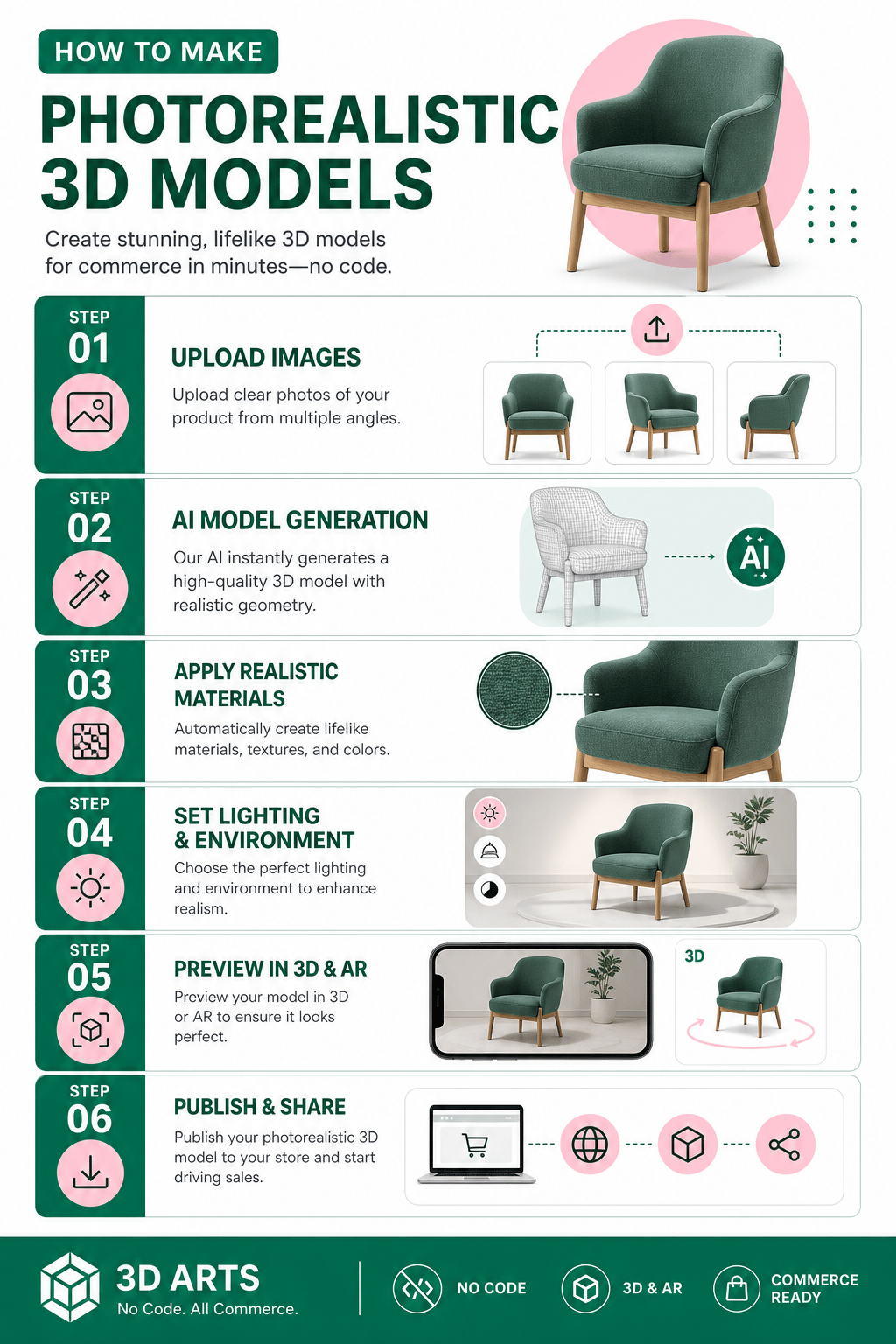
How to Make Photorealistic 3D Models
Follow these steps to create your own photorealistic 3D models:
-
Step 1: Gather Reference Materials
Start by collecting high-quality reference images of the object you want to model. These images should capture the object from multiple angles with good lighting. This will help you achieve accurate proportions and details.
-
Step 2: Model the Basic Shape
Using your chosen 3D modeling software, create the basic shape of your object. Focus on getting the proportions right before adding any details. Use reference images as a guide to ensure accuracy.
-
Step 3: Apply High-Quality Textures
Textures play a crucial role in achieving photorealism. Use high-resolution textures and apply them to your model. Pay attention to details like surface imperfections, reflections, and translucency.
-
Step 4: Set Up Lighting
Lighting can make or break your 3D model's realism. Experiment with different light sources and angles to mimic real-world lighting conditions. Use soft shadows and ambient occlusion to enhance depth.
-
Step 5: Render the Model
Once your model is textured and lit, it's time to render. Adjust your rendering settings to achieve the best quality without overloading your system. Consider using a 3D modelling service like Thridify for advanced rendering options and bom export capabilities.
-
Step 6: Post-Processing
After rendering, use software like Photoshop to enhance the final image. Adjust color balance, contrast, and sharpness to refine the visual appeal of your model.
STAT
According to a study by Statista, the global 3D modeling market is projected to reach $6.33 billion by 2028, reflecting the growing demand for photorealistic 3D models.
What Can Go Wrong?
Despite careful planning, several challenges can arise during the modeling process:
- Overloading your system with high-render settings
- Insufficient lighting leading to flat-looking models
- Poor texture mapping resulting in unrealistic surfaces
- Ignoring scale and proportion, affecting realism
Conclusion and Call to Action
Creating photorealistic 3D models is a rewarding process that can significantly enhance your brand's product presentation. Follow this guide to master the art of 3D modeling and transform your product visuals. For those seeking more advanced options, explore services like Thridify for enhanced 3D and AR solutions. Start your 3D modeling journey today and stay ahead in the competitive market!
Frequently Asked Questions
What software is best for photorealistic 3D modeling?
Blender, 3ds Max, and Maya are popular choices for creating photorealistic 3D models due to their extensive features and community support.
How can I improve the realism of my 3D models?
Focus on high-quality textures, accurate lighting setups, and post-processing enhancements to improve realism.
What is bom export in 3D modeling?
BOM (Bill of Materials) export is a feature that allows users to generate a list of materials and components used in a 3D model, essential for manufacturing and cost estimation.
Have questions or ready to get started?
Get in touch with Thridify